

Evaluate scores two prompts with an LLM judge in one short script. This page is the longer code walkthrough: a deterministic code evaluator instead of a judge, examples with ids and metadata, and a dataset you built from traces in the UI. The examples are billing-support replies. It needs a running Phoenix and no model key.
You define two tasks, a baseline and an edited prompt, score both with one deterministic evaluator, and read the difference. The code lives in examples/quickstarts, ready to run.
Build and run the experiment#
The script creates its own dataset, so you can run it without traces in Phoenix. Choose Python or TypeScript in each step.
Install experiment packages
Create an experiment file
The dataset uses two billing support examples; replace them with selected traces or examples from your agent when you are ready.
Create a file named experiment.py.
Create a file named experiment.ts.
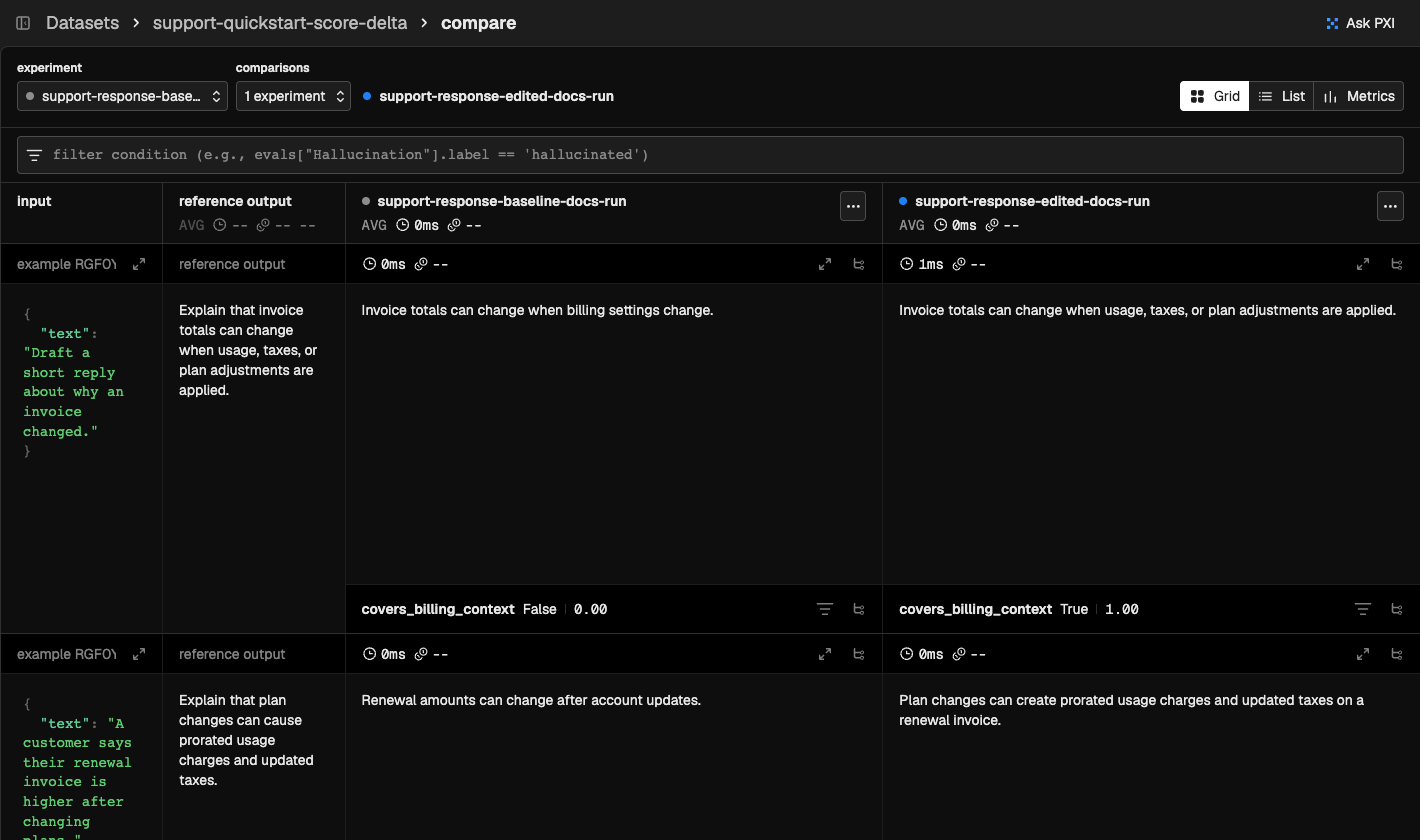
Each task takes one dataset example and returns an agent output. Swap in your agent’s entry point. The evaluator is intentionally deterministic: it checks for the billing context the response must include before you add broader LLM-as-a-judge evals.
Run the experiment
If you already created a dataset from traces in the UI, replace the create_dataset call with:
If you already created a dataset from traces in the UI, replace the createDataset call with:
Review the scores
Head back to Phoenix and open the dataset’s Experiments tab. You can compare outputs, evaluator labels, scores, and explanations for each example.
Mark a persistent baseline#
The comparison above is transient. To pin one experiment as the reference point that later comparisons measure against, see Set a Baseline Experiment.